Portfolio

Sample projects that show the kind of spreadsheet and workflow work I do.

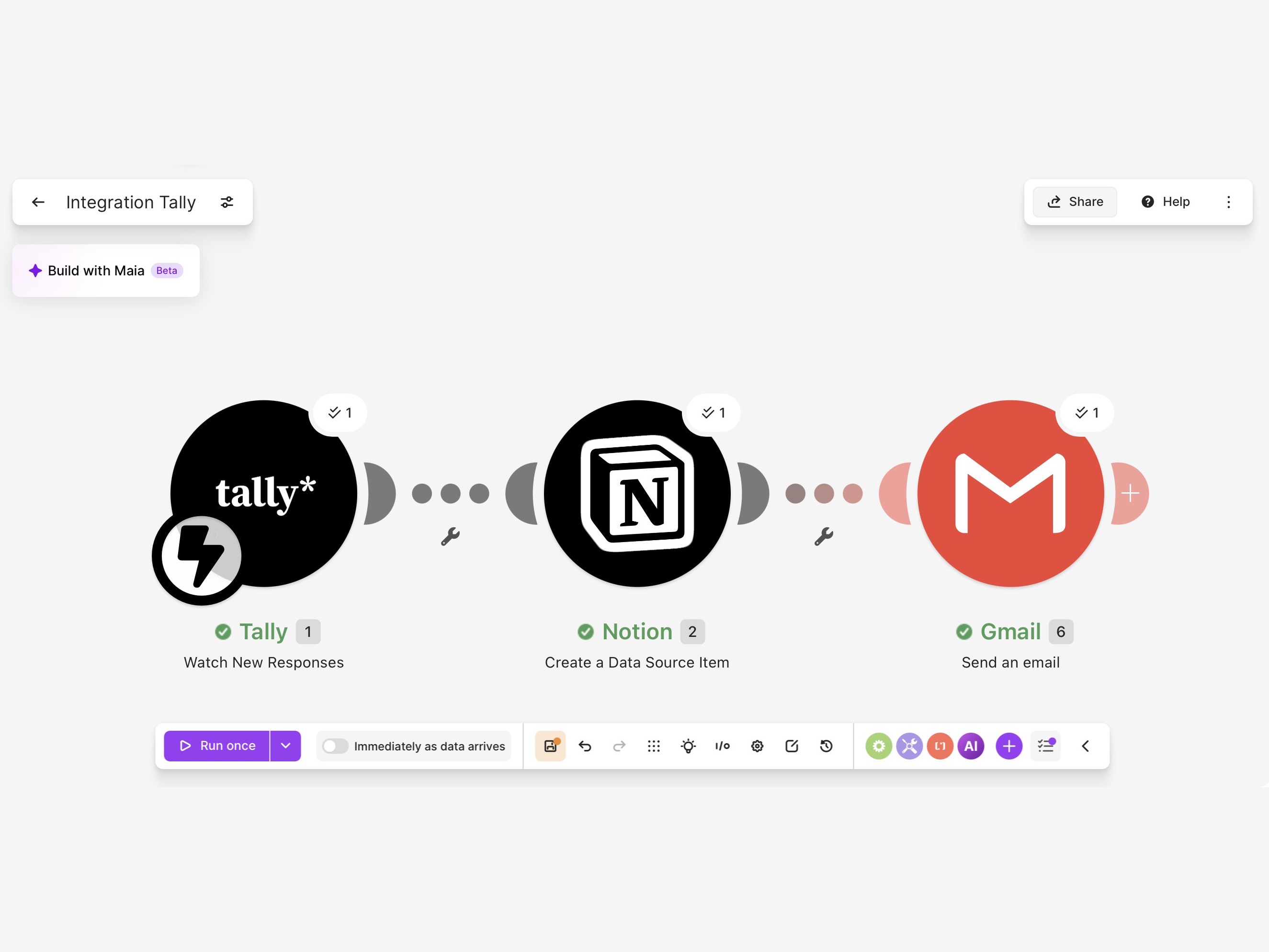
Diagram of a lead-intake workflow connecting Tally, Notion, and Gmail

Forms · Notion · Email · Sample project

Lead Intake Automation

A Tally form feeds a Notion lead tracker, followed by a Gmail confirmation.

The problem
When form responses sit in an inbox, it’s easy to miss a new inquiry or lose track of who has heard back.
What I made
An automation built in Make. Each new Tally form response becomes an entry in a Notion lead tracker, and a confirmation email goes out through Gmail.
What you’re seeing
The automation in Make: the Tally form on the left, the Notion tracker in the middle, and the Gmail email on the right. It was tested with a sample form response, not a client’s data.
Who it’s for
Freelancers and small teams who get inquiries through a website form and want each one logged and answered without copying and pasting.
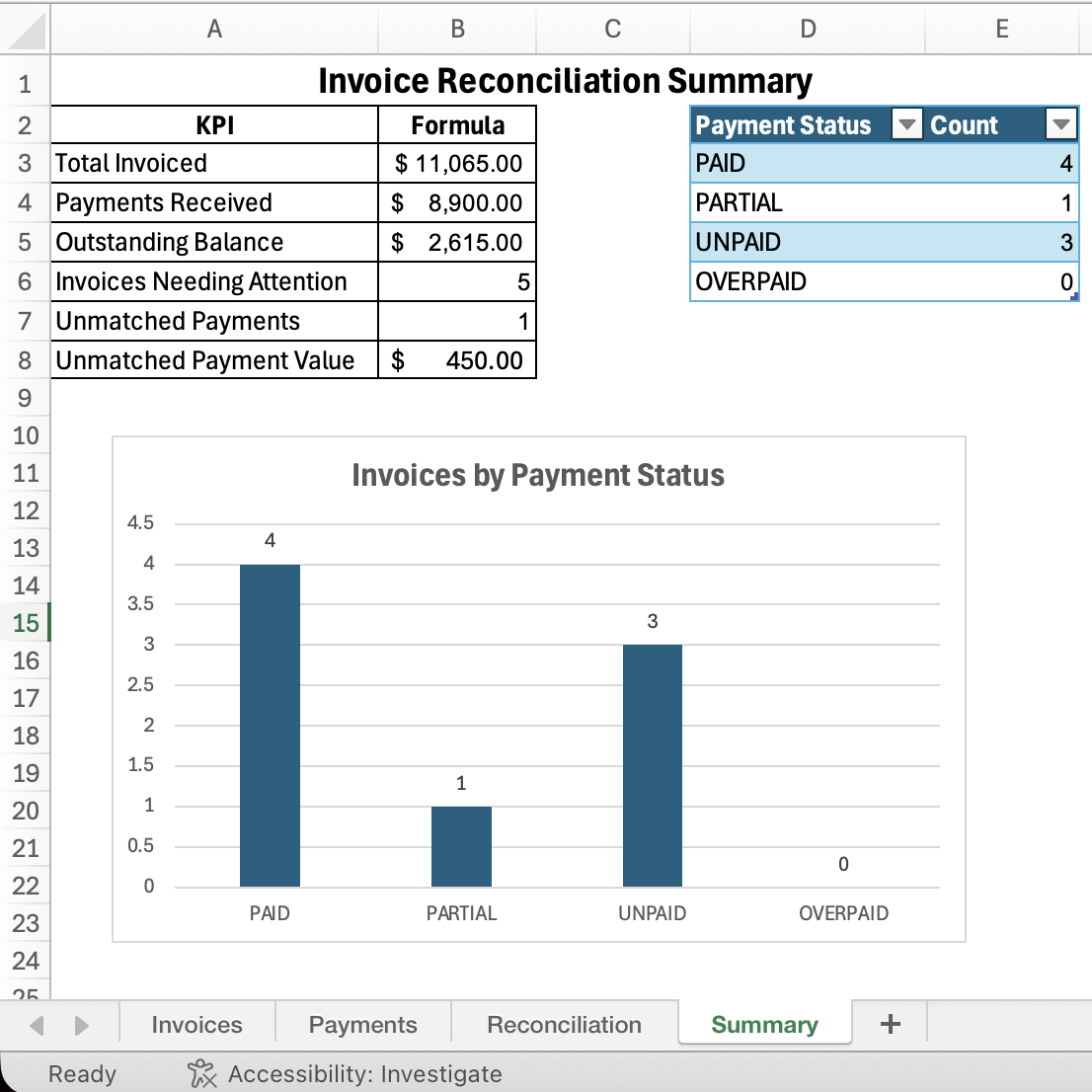
Excel invoice reconciliation summary with payment statuses and a chart

Excel · Reconciliation · Sample project

Invoice Reconciliation Dashboard

A summary view for invoice totals, payment status, outstanding balances, and exceptions.

The problem
Matching payments to invoices by hand is slow and easy to get wrong, especially when a customer pays in two parts, an invoice gets entered twice, or a payment comes in that doesn’t match any invoice.
What I made
An Excel workbook with four tabs: invoices, payments, a reconciliation sheet, and a summary. Formulas add up every payment against its invoice, show what’s still owed, and label each invoice paid, partial, unpaid, or overpaid. Duplicate invoices and payments with no matching invoice are flagged automatically.
What you’re seeing
The summary tab: total invoiced, payments received, the outstanding balance, invoices that need attention, and payments that don’t match an invoice, plus a chart of invoices by status. The customers and amounts are made up for this sample.
Who it’s for
Bookkeepers, office managers, and small business owners who check payments against invoices every week or month.
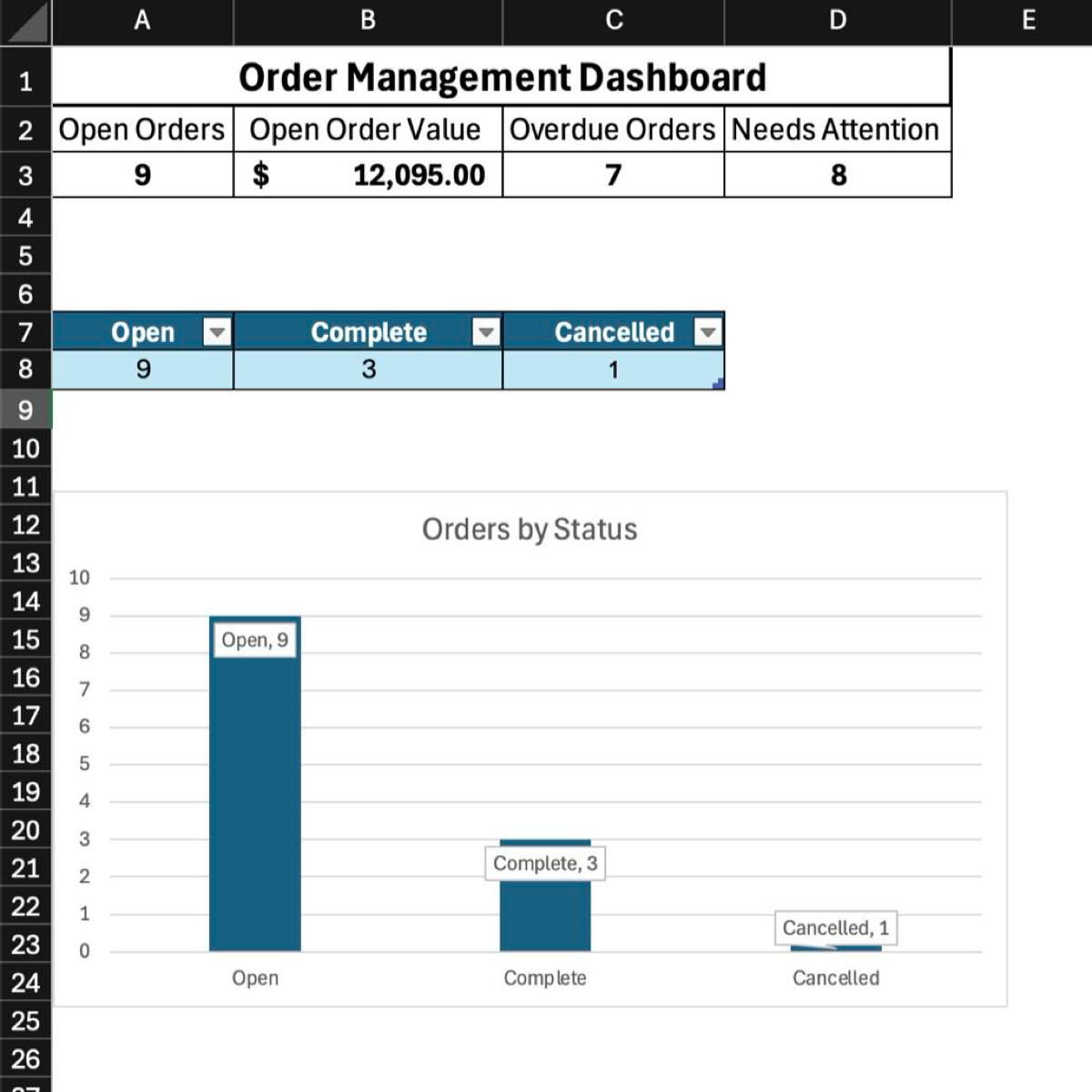
Excel order management dashboard showing open, completed, and cancelled orders

Excel · Tracking · Sample project

Order Management Tracker

An order-status tracker with open-order, overdue, and attention-needed views.

The problem
When orders live in one long list, it’s hard to see what’s late, who’s handling what, and whether something was entered twice.
What I made
An Excel tracker that pulls in the order list with Power Query and checks every order: overdue, missing someone assigned, entered twice, or needing attention. Flagged rows are highlighted, and a dashboard sums it all up.
What you’re seeing
The dashboard tab: open orders and what they’re worth, how many are overdue or need attention, and a chart of orders by status. The orders and names are made up for this sample.
Who it’s for
Small shops and service businesses that take orders and want to spot late ones before a customer has to ask.

Tell me what you need help with

A few sentences is plenty. I’ll get back to you with next steps.

No commitment. Your details are only used to reply to you.